
Type your script. Pick an avatar. Click render. You have a professional talking-head video in under 10 minutes — no mic, no camera, no re-takes.
- ✅ First AI avatar video ready in 10 minutes (no equipment needed)
- ✅ Costs ~$0.29/video vs $500–2,000 for a traditional video shoot
- ✅ Free plan available — test before you pay
- ✅ 500,000+ users · 175+ languages · 300+ AI avatars
🎬 This video was generated entirely with HeyGen — no camera, no actor:
✅ Pros
- Most realistic AI avatars in 2026 — G2 rated 4.8/5
- Instant video translation in 175+ languages
- Custom avatar from 5-minute video upload
- Clean API for automated video pipelines
❌ Cons
- Creator plan limited to 10 min of video/month
- Trustpilot rating 2.4/5 — billing complaints
- No built-in video editing beyond avatar scenes
1. What Is HeyGen?
Most people who want to grow on YouTube never start. Not because they don't have ideas. Because getting on mic — setting up, recording, re-taking, editing audio — kills the momentum before the first video publishes.
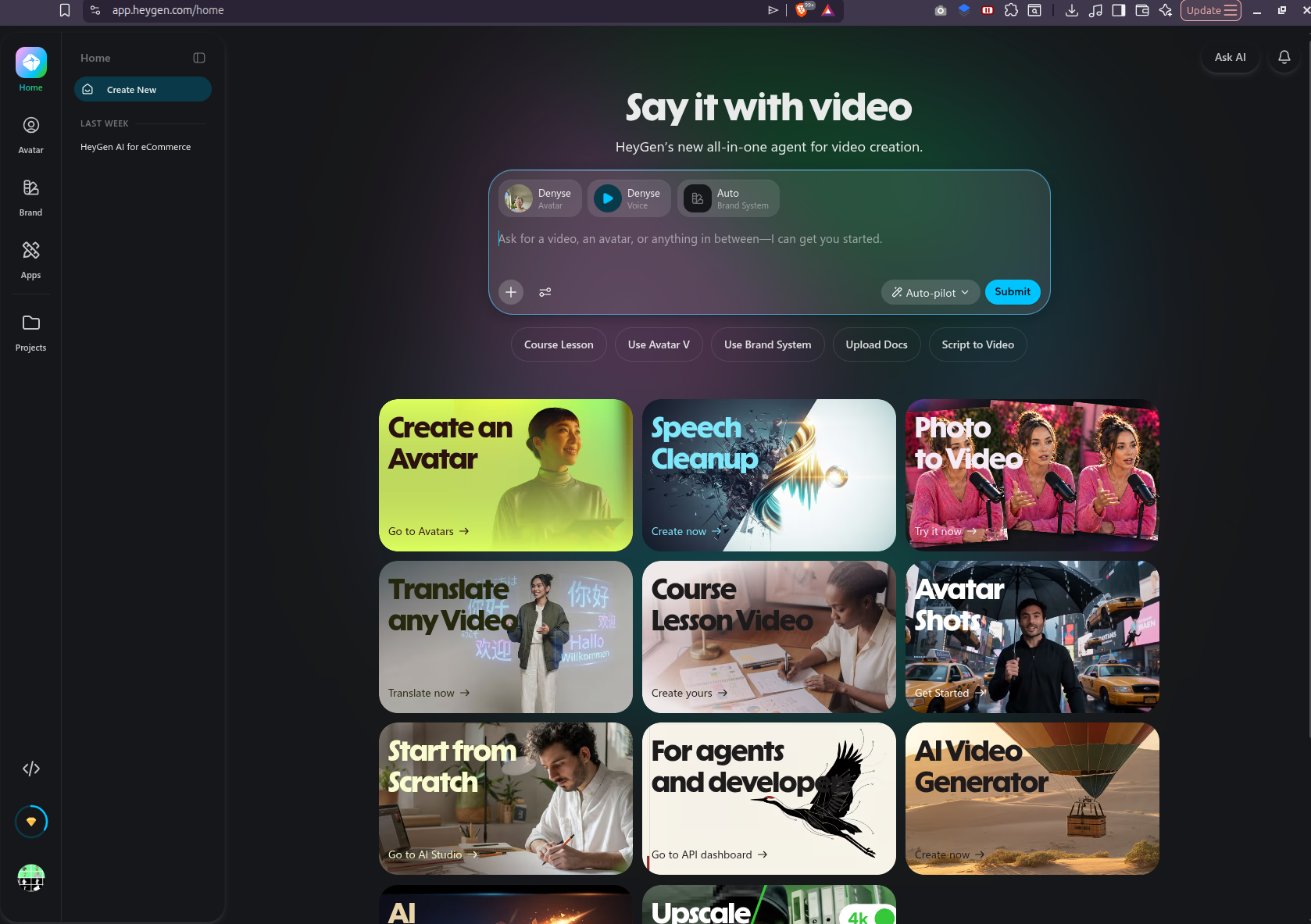
HeyGen is an AI video generator that removes that barrier entirely. You type a script. An AI avatar reads it on screen in a lifelike voice you never had to record. The result looks like a professionally shot talking-head video. No mic. No re-takes. No audio editing.
Founded in 2022, HeyGen now serves over 500,000 users across enterprise and individual creators. The growth came from one thing: the avatars actually look real. That's the only benchmark that matters for this category.
2. Key Features
AI Avatar Video
Type script → avatar speaks on screen. 300+ stock presenters or upload your own likeness.
Video Translation
Translate and dub any video into 175+ languages. Lip sync included. One upload, global audience.
Custom Avatar
Record 5 minutes of video → HeyGen trains a digital twin that speaks any script you write.
AI Streaming Avatar
Real-time avatar for live streams and interactive demos. Your AI persona goes live without you.
What does the AI voice actually sound like?
Short answer: good enough for informational YouTube content — not good enough if personality is the product.
HeyGen's built-in voices are clear and well-paced. The cadence is consistent — sometimes too consistent. Multiple reviewers describe the same thing: "a little too smooth, a little too even." Natural human speech has micro-variations in pace and emphasis that the built-in voice doesn't replicate. On a 3-minute tutorial about AI tools or personal finance, most viewers won't notice. On a personality-driven video where the host's energy is the draw, it shows.
Voice cloning — recording 5 minutes of your own voice and having the avatar use it — performs better. It captures your tone and pacing, but emotional range is flattened. Enthusiasm, sarcasm, rhetorical pauses: all delivered at the same neutral level. One honest reviewer put it well: "the clone sounds like you on a very calm day." There's also a pronunciation editor for fixing jargon and technical terms that the AI mispronounces — it works, but it's an extra step per video.
If voice quality is central to your channel, the combination most creators land on is HeyGen + ElevenLabs: avatar and rendering in HeyGen, voice from ElevenLabs (uploaded as audio or connected via API). The quality difference is significant — reviewers describe ElevenLabs voices as nearly indistinguishable from recorded speech. This adds a second subscription ($5/month starter), bringing the combined cost to $34/month. Whether that's worth it depends on how voice-forward your content is. One tradeoff worth knowing: lip sync is most reliable when HeyGen uses its own voice — when you upload external ElevenLabs audio, the avatar has to sync to audio it didn't generate, which can drift occasionally on longer scripts. Our ElevenLabs review covers the voice setup in detail.
3. Pricing (as of July 2026)
| Plan | Price/month | Video Credits | Best For |
|---|---|---|---|
| Free | $0 | 1 credit/month | Testing only |
| Creator ⭐ | $29/mo | ~10 min video/mo | Solo creators |
| Pro | $49/mo | ~30 min video/mo | Regular publishers |
| Business | $149/mo | Unlimited videos | Agencies, teams |
Pricing as of July 2026. Source: HeyGen Pricing Page
The Creator plan at $29 gives you ~10 minutes of rendered video per month. One 5-minute YouTube tutorial costs about $14.50 to produce. That's $0.29/video at two videos a month. A freelance videographer charges $500 minimum for the same thing. That's not a small difference in cost — it's a different business model entirely.
Editor's Take
HeyGen's product quality and its business practices are two completely different things — and you need to know which one you're buying.
On the product side: the avatars are genuinely the best in this category. Avatar IV holds lip sync through a 5-minute script without drifting. The video translation feature — paste your English video, get a Spanish version with matching mouth movements in under 10 minutes — works in a way no competitor currently matches. If your goal is publishing faceless YouTube videos across multiple languages, there is no better tool available in 2026.
On the business side: read the fine print before you pay. The Creator plan advertises $29/month, but Avatar IV burns 20 premium credits per minute. Your 200 monthly credits cover 10 minutes of Avatar IV video — roughly two 5-minute videos. Real production use costs $49–99/month, not $29. Several users in April 2026 reported no cancel button on the platform; cancellation required contacting support, which Trustpilot reviewers describe as slow and scripted. The billing complaints are consistent enough across sources to take seriously.
My recommendation: start on the free plan. Render one full video. Judge the avatar quality yourself — it takes 8 minutes and costs nothing. If the output is good enough for your channel, upgrade to Creator and treat the $29 as a trial month, not a long-term commitment. Set a calendar reminder to check your credit usage at the two-week mark. If you're hitting the ceiling early, you're looking at $49/month minimum for sustainable production.
One thing the pitch doesn't mention: AI channels add a recurring cost. HeyGen at $29–49/month is cheap relative to hiring a production crew — but the subscription recurs whether you publish or not.
There's a more sustainable path that costs nearly nothing: vlog-style content built from real-life footage you capture yourself. Two examples below — everyday environments, minimal editing, scripted voice-over. No avatars, no monthly fee. If you want the voice-over without recording every take, our ElevenLabs review covers the AI voice option.


Neither approach is objectively better. HeyGen makes sense if you want zero filming involved. The vlog route makes sense if you want zero recurring tool costs. Both can build a monetized channel. Pick the constraint you'd rather eliminate.
The product earns its G2 score. The billing system earns its Trustpilot score. Both are true at the same time.
4. HeyGen vs. Traditional Video Production
Most YouTubers who want to publish without being on camera hire a freelancer or cobble together stock footage. Here's what that actually costs versus HeyGen:
| Criteria | Traditional Video Shoot | HeyGen AI Avatar |
|---|---|---|
| Cost per video | $500 – $2,000 | ~$0.29 – $4.90 |
| Turnaround time | 3–7 days | 10 minutes |
| Revisions | $50–200 each, days wait | Unlimited, instant |
| Equipment needed | Camera, mic, lighting, studio | A browser |
| Skills required | Directing, editing, presenting | Writing a script |
| Scale to 10 videos | $5,000 – $20,000 | $49/month |
5. HeyGen vs. Synthesia
Synthesia is the most common alternative. It's cheaper ($22/month) but narrower. Here's where they actually differ:
| Feature | HeyGen | Synthesia |
|---|---|---|
| Starting price | $29/mo | $22/mo ✅ |
| Video translation + lip sync | ✅ Built-in | ❌ Limited |
| Custom avatar quality | ✅ Higher realism | ⚠️ Acceptable |
| G2 rating | 4.8/5 ✅ | 4.7/5 |
| Best for | YouTube creators, multilingual | Corporate training |
If you're publishing YouTube content and want translation, HeyGen wins. If you're building internal corporate training videos on a tight budget, Synthesia is fine.
6. Can You Actually Make Money With This?
HeyGen solves the production problem. It doesn't solve the audience problem. Before spending $29/month, here's what the monetization path actually looks like — based on YouTube's public requirements and published creator data.
YouTube Partner Program requirements
| Requirement | Threshold |
|---|---|
| Subscribers | 1,000 |
| Watch hours (past 12 months) | 4,000 hours |
| Channel policy violations | None |
Source: YouTube Help Center — Monetization eligibility
What creators are actually earning
Several creators have published detailed revenue breakdowns from faceless AI channels: Kellan Henneberry ($24,937/month, YouTube Shorts), Ken Voss ($9,755 in 30 days from AI sleep videos), and Steffen Miro ($37,432/month across 3–5 faceless channels).
Worth noting: all three monetize beyond YouTube AdSense — through coaching, courses, or paid communities — which means they have a financial incentive to publish impressive numbers. Take these as ceiling data points, not typical outcomes. Most channels earn $50–$500/month when they first qualify for monetization. Getting to $5,000/month consistently typically takes 12–18 months of weekly publishing.
Revenue per 1,000 views (RPM) by niche
| Niche | Estimated RPM |
|---|---|
| Personal Finance | $15–40 |
| Business / Entrepreneurship | $12–30 |
| AI Tools / Tech | $10–25 |
| Self-Improvement | $8–20 |
| General Entertainment | $2–6 |
Compiled from creator disclosures; varies by audience geography and season. At $15 RPM, 100K monthly views = $1,500/month.
YouTube updated its monetization policy to explicitly target "inauthentic content" — defined as mass-produced, template-stamped videos with no original editorial voice. In January 2026, YouTube terminated 16 channels simultaneously, erasing 4.7 billion lifetime views and 35 million subscribers. One Bible Stories channel with 588,000 subscribers and $30,000/month in revenue was demonetized channel-wide. (TechCrunch, July 9 2025 · OutlierKit, 2026)
Being faceless is fine. Using HeyGen is fine. The rule is simpler: your script needs a point of view. Template content with no editorial contribution is what gets channels removed — not AI production tools.
The production bottleneck is what kills consistency. Recording, re-taking, and editing audio takes 3–4 hours per video. HeyGen reduces that to 30–45 minutes — script to rendered file. Over 6–12 months of consistent publishing, that time saving is what makes the difference between channels that get monetized and channels that quit.
7. HeyGen API — Automate Video Generation
If you're producing more than 10 videos a month, the dashboard becomes a bottleneck. HeyGen's REST API lets you trigger renders programmatically. Here's a minimal example:
# HeyGen Video Generation — Python example
import requests

HEYGEN_API_KEY = "your_api_key_here"

def generate_avatar_video(script: str, avatar_id: str) -> str:
    url = "https://api.heygen.com/v2/video/generate"
    payload = {
        "video_inputs": [{
            "character": {
                "type": "avatar",
                "avatar_id": avatar_id,
                "avatar_style": "normal"
            },
            "voice": {
                "type": "text",
                "input_text": script,
                "voice_id": "en-US-JennyNeural"
            }
        }],
        "dimension": {"width": 1280, "height": 720}
    }
    headers = {
        "X-Api-Key": HEYGEN_API_KEY,
        "Content-Type": "application/json"
    }
    response = requests.post(url, json=payload, headers=headers)
    return response.json()["data"]["video_id"]

# Usage: generates a video, returns video_id to poll for completion
video_id = generate_avatar_video(
    script="Welcome to my channel. Today we're covering...",
    avatar_id="Angela-insuit-20220820"
)
print(f"Rendering: {video_id}")
API docs: docs.heygen.com. Pair with a cron job to auto-generate weekly videos from a content calendar.
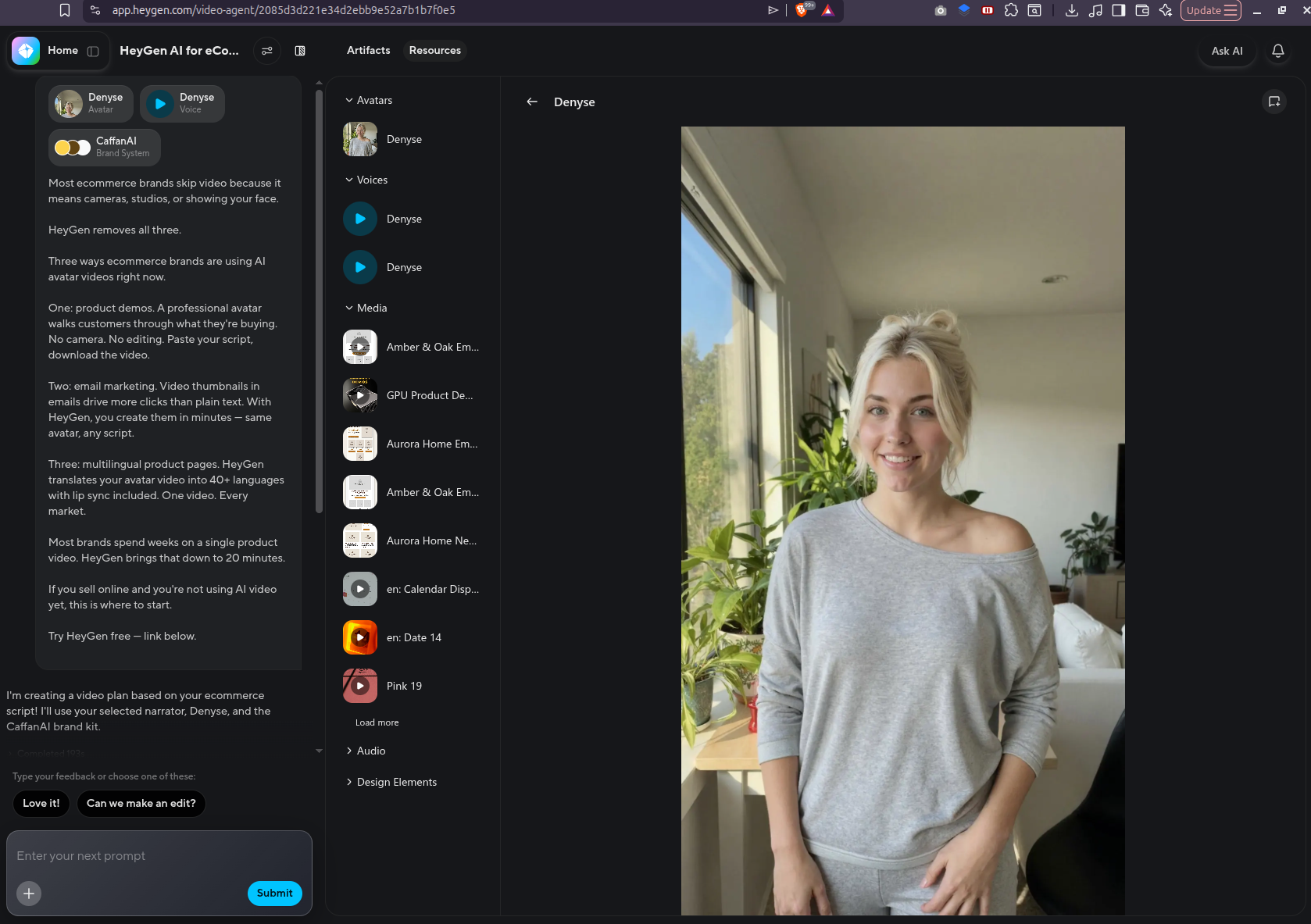
Formatted for HeyGen Avatar — paste into the script field, pick an avatar, render. Done.
Covers: Tool Review · Tutorial Walkthrough · Product Comparison · Listicle · Case Study
Each script is ~500 words (~3 min video). On the free plan, you get 1 render. On Creator ($29/mo), you render all 5 per month.
📥 Download Free — No Email Required9. Final Verdict
HeyGen answers one question well: how do I publish professional-looking videos without being on camera? For faceless YouTube creators, that's the whole problem.
The Creator plan at $29/month gives you roughly 2 videos per month. That's enough to test whether the channel concept works before scaling up. The video translation feature — which Synthesia doesn't match — makes it the only tool worth considering if you plan to publish in multiple languages.
The Trustpilot complaints (mostly about billing and cancellation) are worth knowing. Read the cancellation terms before you subscribe. But on product quality, the G2 score of 4.8/5 across 1,478 reviews doesn't lie.
Free plan available. Creator plan from $29/month.
FAQ
Is HeyGen free to use?
Yes. HeyGen offers a free plan with 1 video credit per month — enough to test the platform before paying. The Creator plan starts at $29/month for approximately 10 minutes of rendered video. No credit card is required for the free plan.
How realistic do HeyGen avatars look in 2026?
HeyGen avatars are rated 4.8/5 on G2 across 1,478 reviews (as of July 2026). Lip sync accuracy is the strongest point — most viewers cannot distinguish a HeyGen avatar from a real presenter in standard YouTube-quality output. Quality drops at very high magnification or in close-up shots.
Can I create a custom avatar that looks like me?
Yes. HeyGen's Instant Avatar feature trains a digital twin from a 5-minute video you record. The result is an avatar that uses your face and voice. Custom Avatar is available on Creator ($29/month) and above. Training takes approximately 2 hours after upload.
HeyGen vs Synthesia — which is better for YouTube creators?
HeyGen is better for YouTube creators in 2026. It includes video translation with lip sync in 175+ languages — a feature Synthesia does not match. Synthesia ($22/month) is cheaper and works well for corporate training videos, but lacks HeyGen's creator-focused features and avatar realism.
How many videos can I make per month on HeyGen?
HeyGen uses a credit system. The Creator plan ($29/month) includes 200 credits. A 5-minute Avatar IV video costs ~100 credits, giving you approximately 2 full videos per month. The Pro plan ($49/month) provides ~6 videos per month. Business ($149/month) is effectively unlimited for standard output.
Does HeyGen work with ElevenLabs for voice?
Yes. HeyGen's built-in AI voice is solid, but you can also upload a custom audio track generated with ElevenLabs to use as the avatar's voice. This combination — ElevenLabs for voice + HeyGen for avatar — produces the most natural-sounding faceless YouTube videos available in 2026. See our ElevenLabs review for the voice setup.